
Use Cases
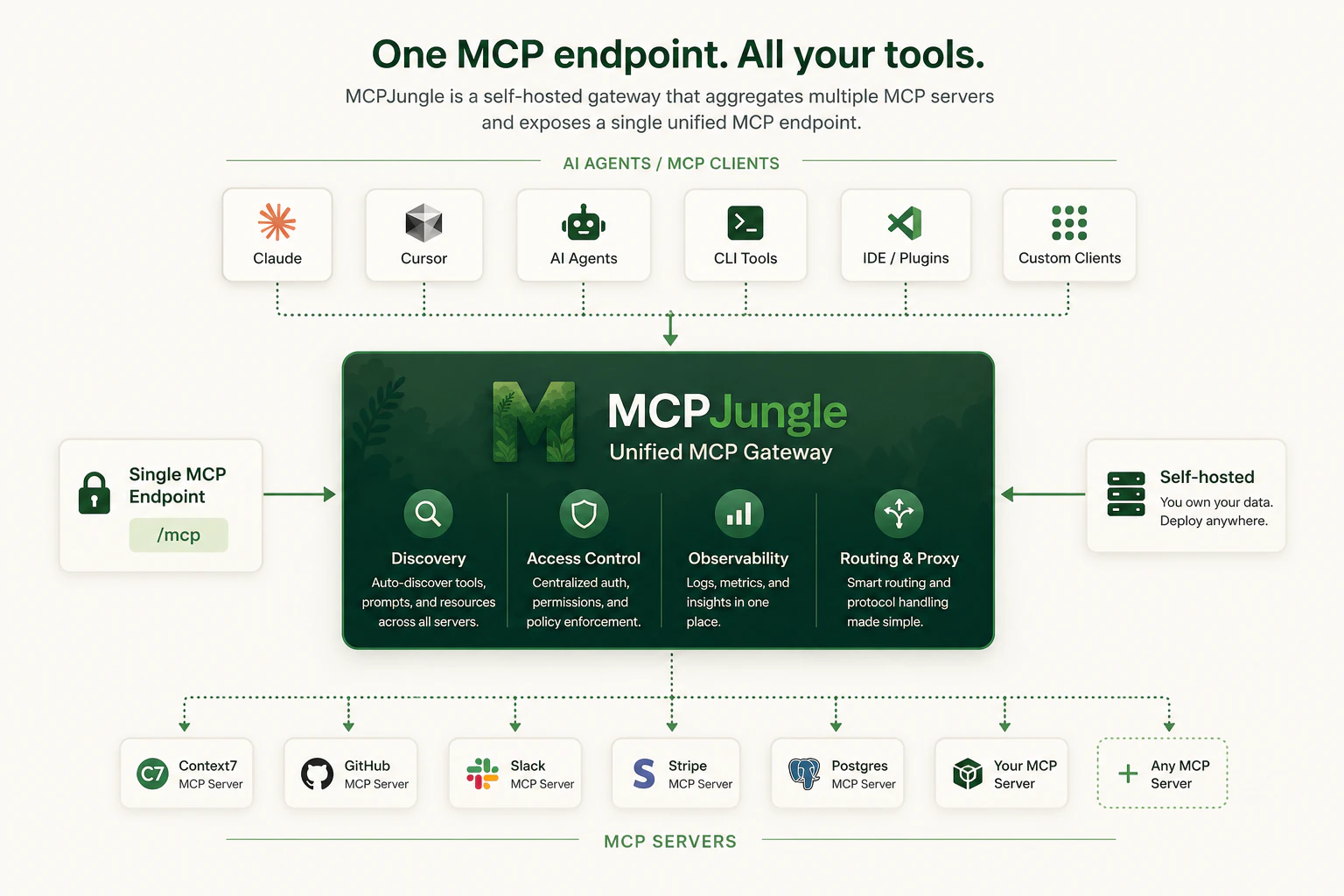
Mcpjungle is primarily built for:- Developers who want one clean local MCP endpoint instead of per-client server configuration.
- Teams who want shared MCP infrastructure with centralized discovery, access control, and observability.
Quickstart
Start the gateway, add your first MCP server and connect Claude - in under 5 minutes.
Core Concepts
Learn how the gateway, CLI, servers, MCP and enterprise features fit together.
Supported features
View transport support, MCP surface coverage, authentication, integrations, and operational support levels.
Installation
Install the CLI locally and choose the right runtime path for your gateway deployment.
AI agents can also access the mcpjungle documentation using MCP -
https://docs.mcpjungle.com/mcp.Why Mcpjungle?
MCP is powerful, but managing many MCP servers gets messy fast. Without a gateway:- Every client needs its own MCP server configuration.
- Tools, prompts, and resources are scattered across different servers.
- Access control is duplicated or missing.
- Teams have no shared view of available MCP tools.
- Local setups become hard to reproduce.
One endpoint for everything
Register your MCP servers once. Every AI client and agent connects to a single
/mcp endpoint.Self-hosted infrastructure
Run Mcpjungle locally for yourself or on your own infrastructure for a team. Your MCP traffic, tool access, and operational data stay inside infrastructure you control.
Tool Groups
Expose curated subsets of tools so each client only sees the tools it actually needs.
Access Control
In enterprise mode, issue per-client tokens and explicitly control which MCP servers each client can reach.
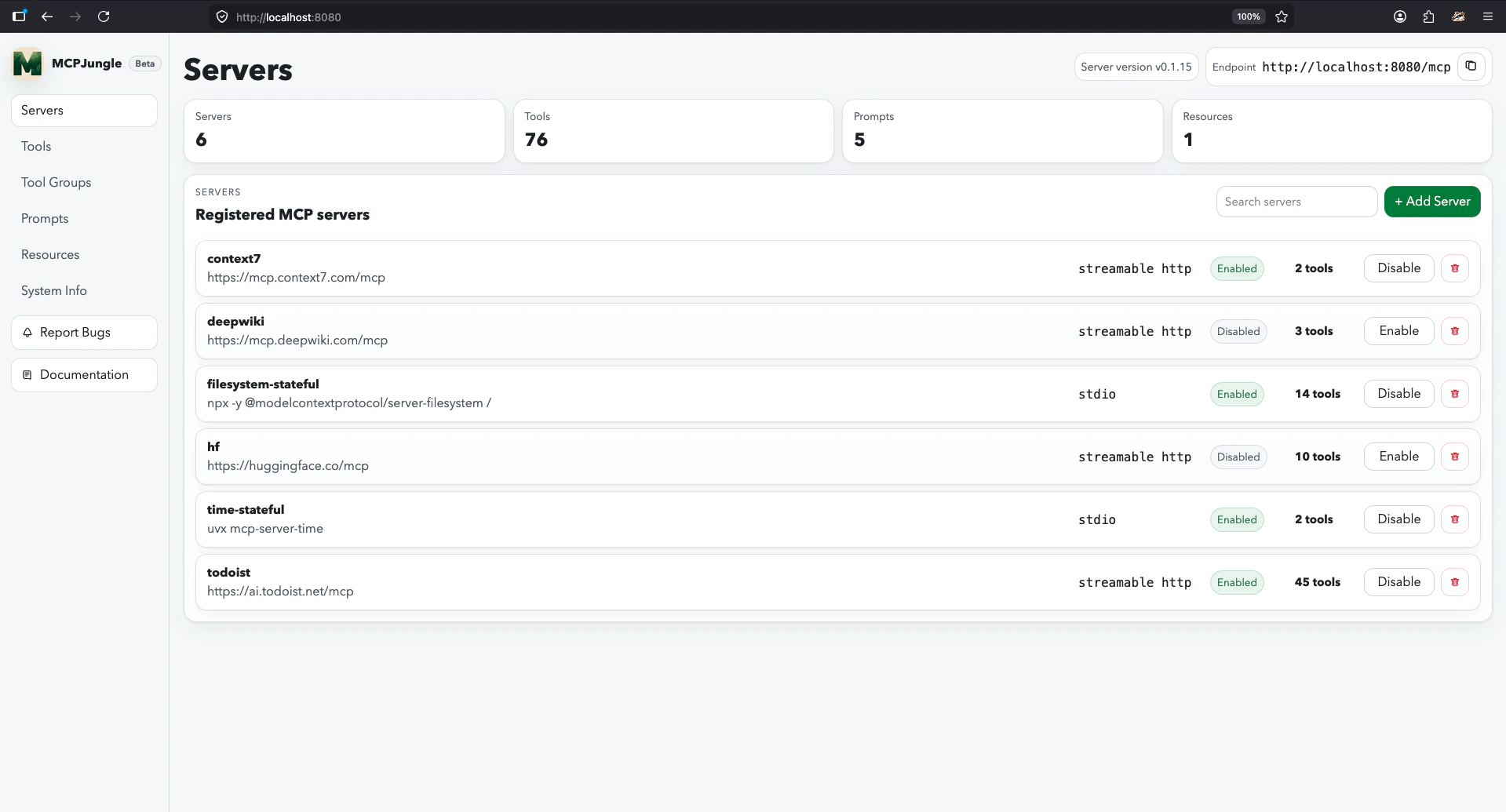
Quickstart
1
Start the server
Pull the Docker Compose file and start Mcpjungle with a persistent Postgres database:
Continue with the Quickstart guide
Follow the full quickstart to install the CLI, register your first MCP server, and connect your AI client.
Explore the docs
Servers and tools
Register remote and STDIO-based MCP servers, curate what they expose, and manage prompts and groups.
Deploy and operate
Run Mcpjungle in local or enterprise mode with the right database, runtime, and observability setup.
Access and governance
Understand enterprise mode, upstream authentication, client tokens, and user access.
Reference
Use the CLI, HTTP API, config files, and environment variables with exact command and schema details.
Roadmap
See what’s being prioritized.